

Face verification is the next step for hosts and agents who want to start their journey on Crush Live! For a Crush Live host, before you can go live, this face verification is a mandatory process. On the Crush Live agent’s side, this is mandatory for withdrawal purposes, you can’t withdraw if you haven’t finished the process. But, before all that, let’s start with what you need first.
Requirements
1. Matching photo to the profile picture in the app
Crush Live’s face verification process has two steps: photo verification and then video verification. Your verification photo must be of you and must match your current profile picture.
2. Phone with working front-facing camera
Now, this is a requirement for the second step; video verification. You must also ensure your room has proper lighting for the video recording.
Crush Live Face Verification for Host
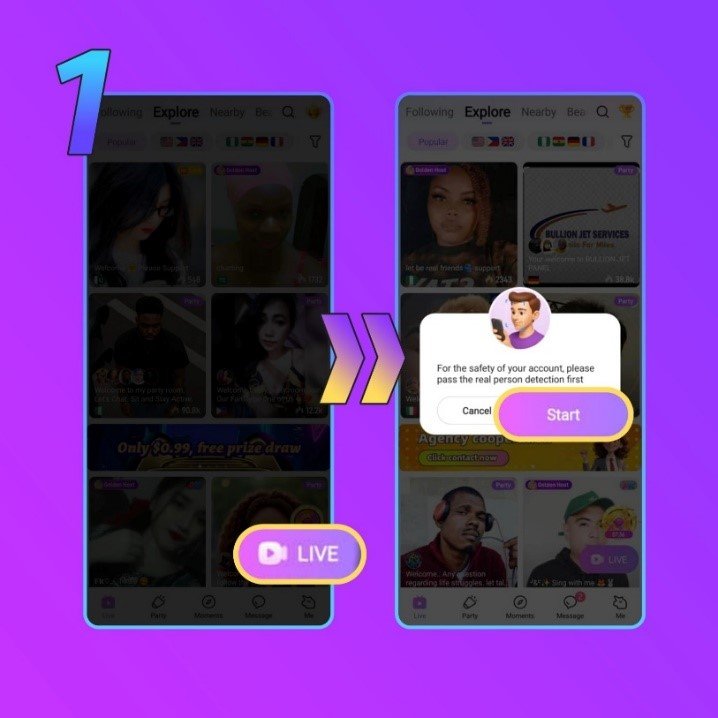
1. Open Crush Live Homepage
On your homepage you will see a ‘Live’ button on the bottom right corner, if so click the button. A notification will pop up, to proceed click the ‘Start’ button.
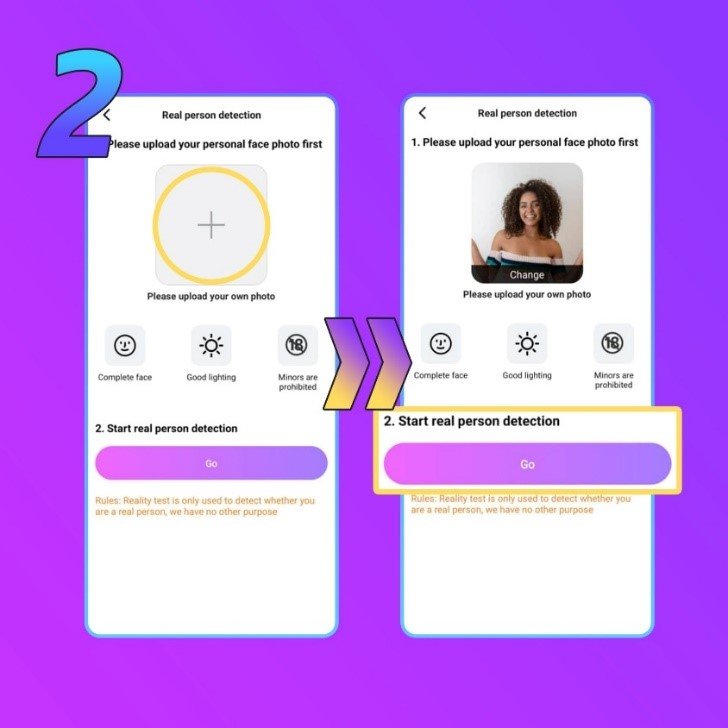
2. Upload your personal photo
Next, simply upload your personal photo. Remember our requirement, this photo has to be the same person as your profile picture. On top of that, the face must be clearly visible as well, no mask, sunglasses, or excessive camera filters.
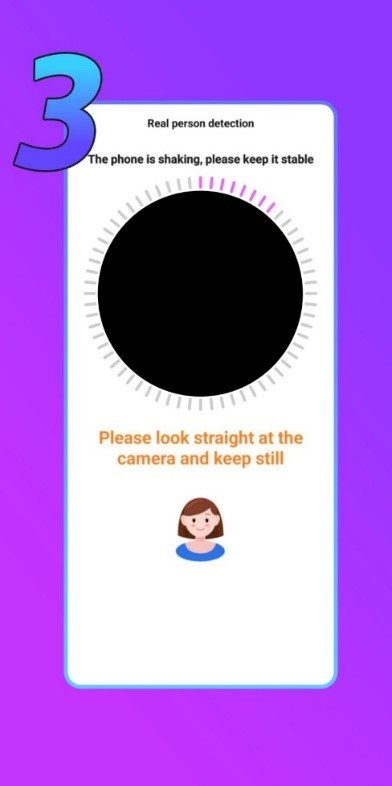
3. Follow the on-screen video verification instructions
The third step is the face verification via video, you will be prompted to follow several instructions. The same rules apply to this step as before. It has to be the same person as your profile picture, and the face must be clearly visible.
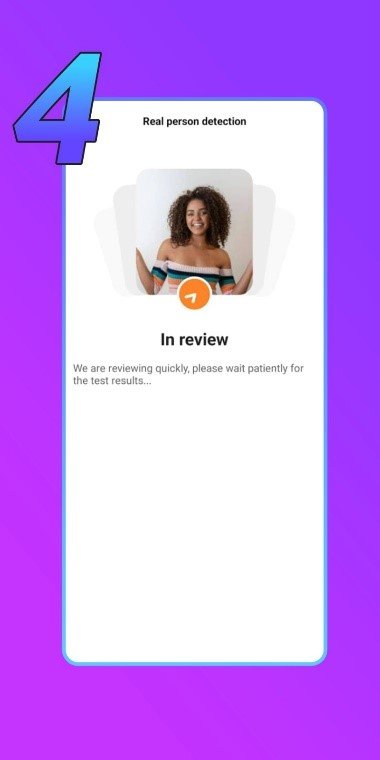
4. Send and wait for the verification process
For the last step, if all went well, simply send the face verification request and wait. This process can take up to 3×24 hours.
Crush Live Face Verification for Agent
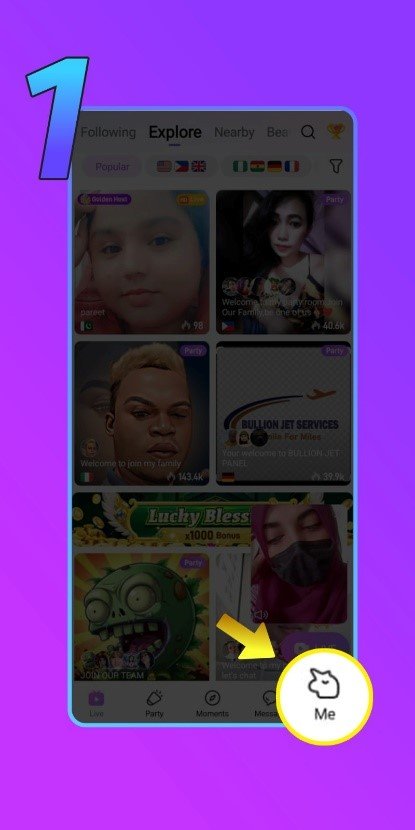
1. Open Crush Live Profile
From the homepage, go to your profile by clicking the ‘Me’ button on the bottom right corner.
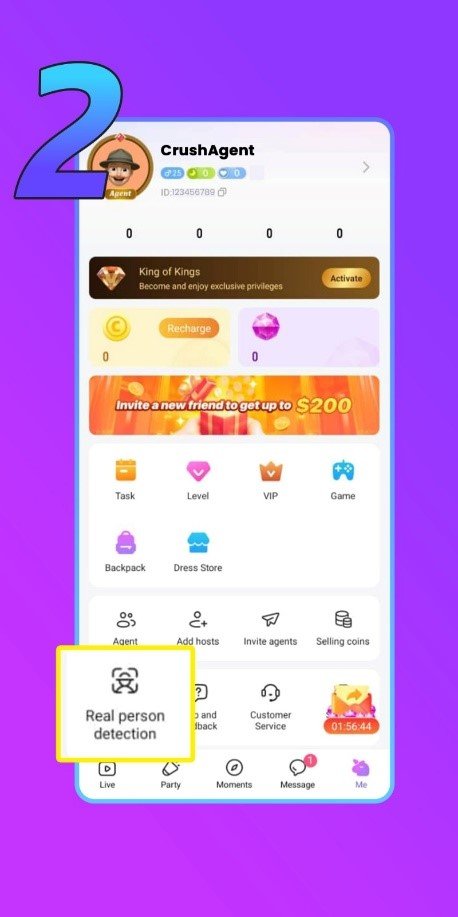
2. Open ‘Real Person Detection’ menu
You can see this menu at the bottom left corner of the profile menu.
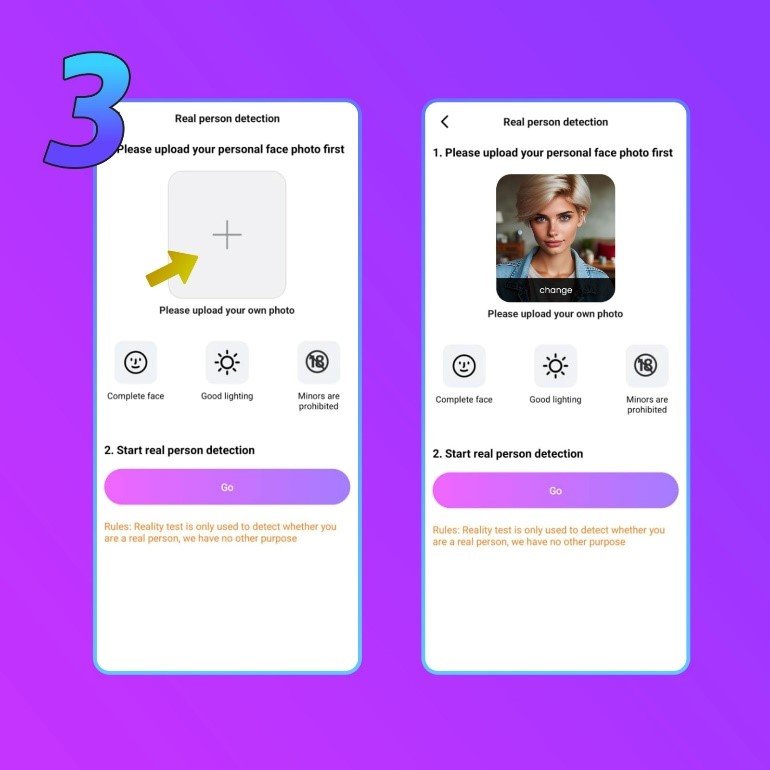
3. Upload your personal photo
Same as the host verification process, in this step you just have to upload your own photo. Again, make sure that the photo you’re uploading matches your profile photo. To proceed to the next step, click the ‘Go’ button.
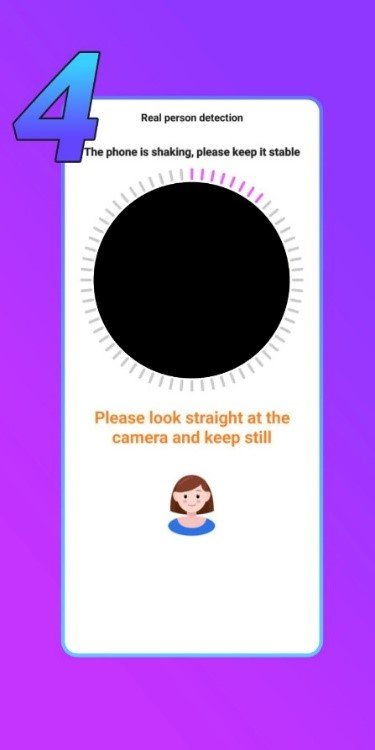
4. Follow the on-screen instructions
During this face verification step you will be prompted to follow several instructions. Make sure your face fits the frame and is clearly visible.
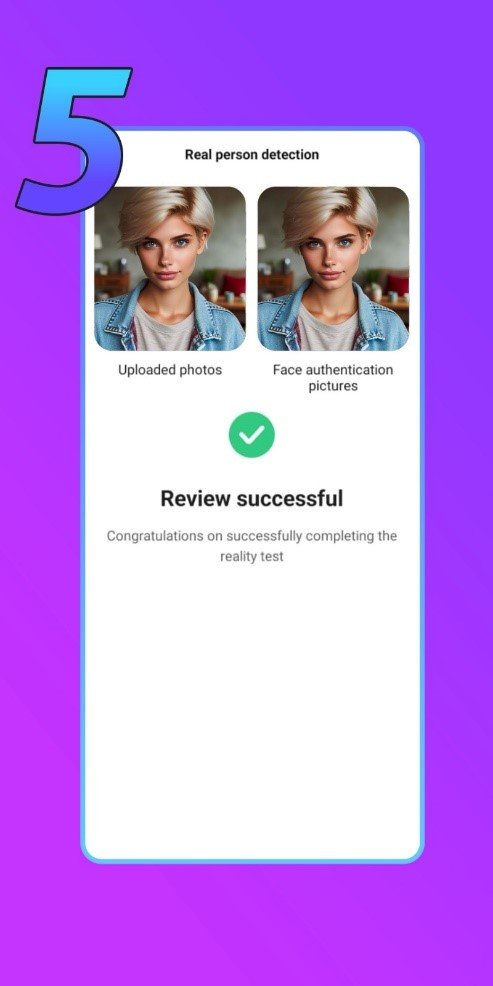
5. Send and wait for the verification process
Now you just have to wait. This process can take up to 1×24 hours.
Common Problems and Solution
1. The Crush Live App Can’t Access My Phone’s Camera
Please make sure the Crush Live app has your phone camera’s permission. Also make sure your Crush Live app is on the latest version. If none of these worked, try restarting your device or use another device.
2. Failed Video Verification Process
This can happen for several reasons, but often it happens due to poor lighting. Try to do it again in a well-lit room. The other reason might be poor internet connection.
3. Review Process is Taking Too Long
The automatic review process should only take a minute. When manual review is required, it may take up to 3 working days. If it takes longer than 3 days, please contact our team.
4. Face Verification Rejected
This can happen if our system detects a mismatch between your profile picture and the face verification data. You can try again after matching the verification data with your profile picture.
Crush Live Face Verification FAQs
1. What if I don’t finish the face verification process?
As a host, you will not be able to stream on Crush Live. As an agent, you will not be able to withdraw your commission.
2. What kind of photo should I upload?
Upload a matching photo to your profile picture, remember to not wear any accessories and always have proper lighting.
3. What if I failed the video face verification instructions?
You can try the video face verification instructions again until you succeed.
4. What if my face verification request got rejected?
You’re allowed to do multiple verification per day. Once you reach the daily limit, wait 24 hours before trying again. However, if your request got rejected too many times, please contact our team for more information.
5. Why do I sometimes need to verify my face again?
This is a part of our security protocols to protect your account. Remember to do it to keep your account active.
Crush Live Face Verification Tips
1. Upload Your Best Picture
Do not just upload any picture that has your face in it, but upload a picture with your best outfit, makeup, or even pose.
2. Use Proper Lighting and Background
Lighting and background often are the reasons the face verification process failed. So, don’t record the video verification in a dark room or cluttered background.
3. Do not Obscure Your Face
Accessories such as sunglasses, masks, or anything that hide part or all of your face is prohibited. This also applies to excessive makeup or filters.
Crush Live Face Verification is Essential
In conclusion, face verification is essential for all Crush Live hosts and agents. While you can browse or interact with other hosts as normal without it, if you want to officially start your career, you just have to follow the simple steps above.
Looking for what to do after you’re able to stream or withdraw? What about our guide to withdraw your earnings as host or agent, or guide to add a new sub-agent as an agent? Or if you have questions about the face verification process or Crush Live in general, please do not hesitate to contact our team right here.